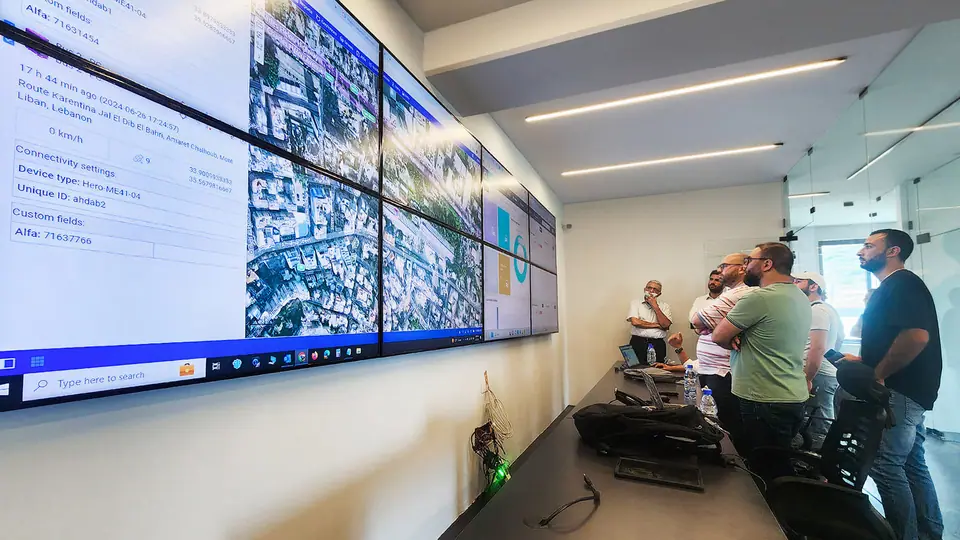
Real-time vehicle tracking
Current position, speed, heading and last update time for each vehicle.

Vehicle Tracking & Fleet Management
GPS vehicle tracking with live positions, route history, alerts and reports, so you can run your fleet on facts instead of phone calls.
Overview
A GPS tracking device in each vehicle reports its position and status over the mobile network. The tracking platform turns that data into a live map, alerts and reports for your managers — on a computer or a phone.
Whether you run a handful of delivery vans, school buses, trucks on long-haul routes or construction equipment, we help you choose suitable devices, configure the platform and get your team using it.
Software capabilities
Typical platform capabilities. Some alerts need specific device inputs or wiring — we confirm what your devices support before installation.
Current position, speed, heading and last update time for each vehicle.
All vehicles on one map, with status colours for running, idle, stopped and offline.
Devices send data over the mobile network; offline or no-data vehicles are flagged.
Replay a vehicle’s journey for any date, with stops and halts along the route.
Trips, kilometres travelled, running and idle time per vehicle and per day.
Draw zones around depots, sites or schools and get entry and exit alerts.
Overspeed and ignition on/off events, where the device and wiring support them.
Summary of vehicle status, today’s distance and recent events at a glance.
Working hours, stoppages and usage patterns per vehicle (driver ID needs supported hardware).
Compare vehicles over weeks and months to plan routes and maintenance.
Try the interface
This sample console uses fictional vehicles. Select a status card or a vehicle to see how filtering works.
Illustrative interface with fictional sample data — it is not connected to live GPS hardware. Available features depend on the tracking device, its configuration and the software plan.
Route history & playback
Select a vehicle and a date to see the path it took, where it halted and for how long. Useful for resolving delivery disputes, checking route discipline and planning better routes.
Hardware and software
Vehicle tracking has two parts. Knowing which part delivers a feature avoids surprises after installation.
Features such as fuel monitoring, temperature sensing, driver ID or immobilisation need extra sensors or compatible models.
Data retention, user counts and report types depend on the platform plan selected.
Running public service vehicles? AIS 140 requires specific type-approved devices and state backend registration — a regular tracker is not enough. Read our AIS 140 guide.
How we set it up
Use cases
FAQ
Yes. Most vehicle trackers send data over the mobile network using a SIM. In areas without coverage, devices that support data buffering store positions and send them once the network returns.
Typically yes — tracking platforms usually offer a web dashboard and a mobile app. We confirm the exact apps and features for the platform you choose.
Speed alerts are generated from GPS data and are widely available. Ignition alerts require the device to be wired to the ignition. Other alerts, such as fuel or temperature, need additional sensors.
No. AIS 140 applies to specified public service vehicles and requires a type-approved VLT device with emergency buttons, connected to the state-designated backend. See our AIS 140 page for details.
History retention depends on the platform and plan. We tell you the retention period before you decide.
Fleet tracking inquiry
Share the number and type of vehicles and what you want to monitor. We will recommend suitable devices and a platform, and arrange a demonstration.
Tell us what you need. Fields marked with an asterisk are required.